Hoseo University LMS Plus
A browser extension that shows Hoseo University LMS attendance at a glance
A lightweight browser extension built to eliminate the tedious routine of clicking into every individual course on the university LMS (Learning Management System). It aggregates attendance records and upcoming assignment deadlines across all registered courses into an organized, unified dashboard on the main page.
| Item | Details |
|---|---|
| Platforms | Chrome Web Store · Firefox Add-ons |
| Timeline | 2026 ~ Present (Actively maintained per semester) |
| Key Stack | JavaScript, CSS, Manifest V3, WebExtensions API |
| Community Impact | Everytime: 317 Likes · 759 Bookmarks · 62 Comments |
| User Base | Peaked at 245 Weekly Active Users (WAU) |
Why I Built It
Every semester, taking 6 or 7 classes meant repeatedly clicking through individual course pages just to verify attendance and check upcoming tasks.
- Scattered Progress and Deadlines: Video lecture completion rates and attendance validity periods varied by course, requiring frequent manual checks.
- Repetitive Navigation Overhead: Seeing what had been completed and which homework was submitted required diving into the subpages of each course room one by one.
- Anxiety Over Missed Deadlines: Because tracking was disjointed, students faced a real risk of missing an assignment deadline or receiving an unexcused absence by mistake.
To eliminate this repetitive routine, I built a client-side browser extension that brings attendance and assignment deadlines across all courses into a single view on the main page.
Before vs. After
| Feature | Default LMS Experience | With Hoseo LMS+ |
|---|---|---|
| Attendance Check | Clicking through 6~7 course rooms individually | Unified view of all courses on the main dashboard |
| Assignment Deadlines | Browsing each course syllabus and notice board | Deadlines & submission status sorted chronologically |
| Time Spent | 2~3 minutes each time & anxiety of missing something | Checked in 1 second with a single click |
Challenges
Designing the extension required addressing several everyday frictions in how students interacted with the platform:
- Fragmented Student Workflows: Course announcements, weekly video lessons, and assignment boards were separated across isolated subpages, forcing users through multiple clicks for a quick status update.
- Low Information Visibility: Vital deadlines and attendance cutoffs were buried deep inside course room menus rather than highlighted where students first landed.
- Usability and Architecture Constraints: Introducing an external server would raise credential-handling concerns, so all data retrieval needed to happen securely and quickly within the student’s own active browser session.
Design and Solution
To keep the extension lightweight and secure, the architecture relies completely on client-side operations without any external backend server:
- DOM Parsing on the Client: Asynchronously fetches and extracts enrolled courses along with weekly attendance and submission data directly within the student’s authenticated session.
- Integrated Sidebar UI: Embeds a dedicated
Hoseo LMS+navigation tab directly into the existing LMS sidebar, launching a clean dashboard that blends naturally with the original interface. - Cross-Browser Standards: Built initially for Chromium and then adapted to standard
Manifest V3andWebExtensions APIspecifications so Firefox users could install it from their official add-ons catalog.
What the Screens Show and User Value
Releasing the extension to the campus community allowed me to validate user value through peer adoption, direct feedback, and real usage metrics.
Community Sharing and Peer Reception
Although initially developed for personal use, I shared the tool on Everytime (the anonymous campus community) suspecting that fellow students faced the exact same frustration.
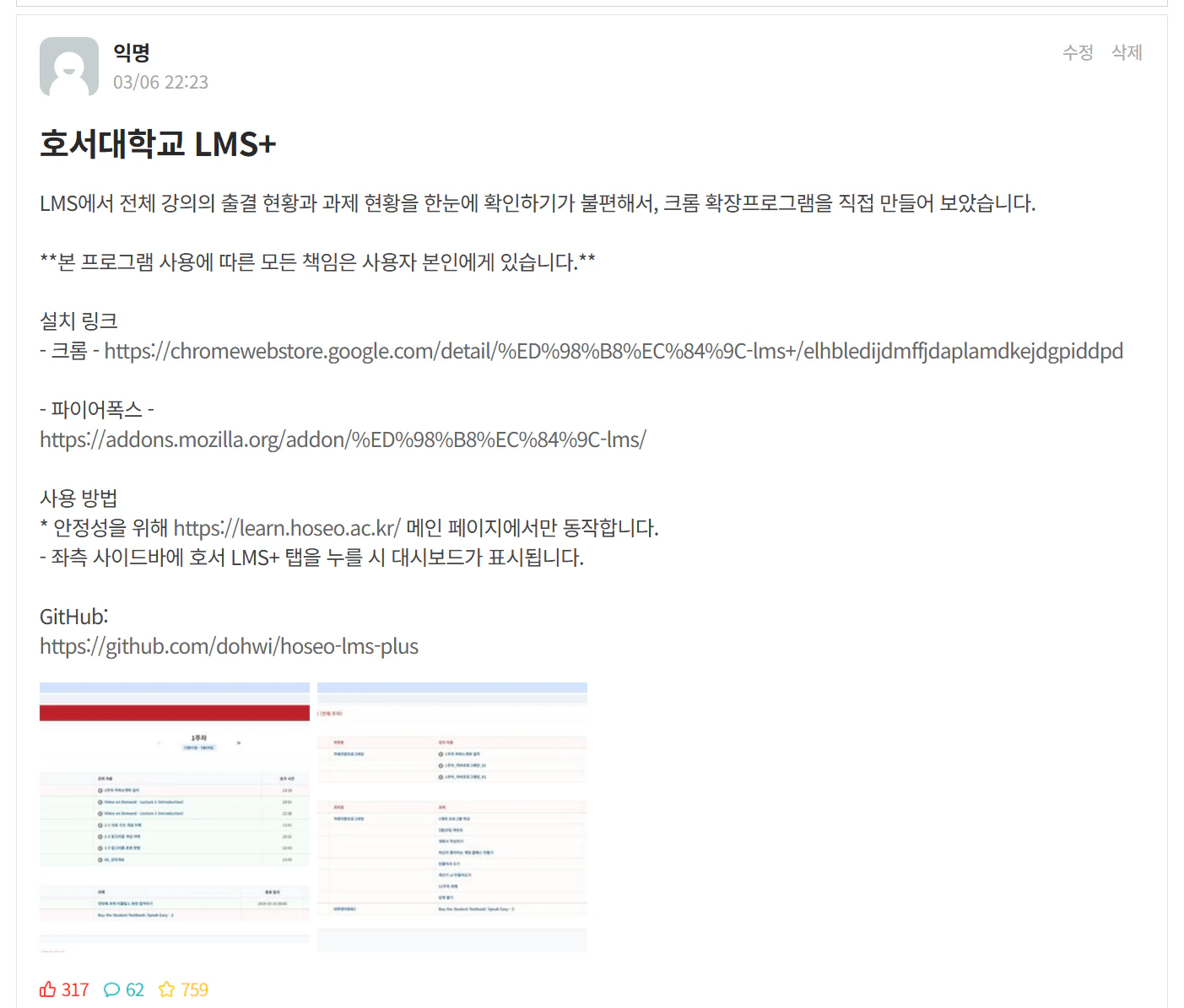
The campus community post showing positive engagement with 317 likes and 759 bookmarks from students.
Shortly after posting, the thread received 317 likes, 759 bookmarks (scraps), and 62 comments. Surpassing 700 bookmarks confirmed that fragmented attendance checking was not just an individual inconvenience, but a widely shared pain point across the student body.
Listening to User Feedback
Engaging directly with students in the discussion thread guided subsequent functional improvements.
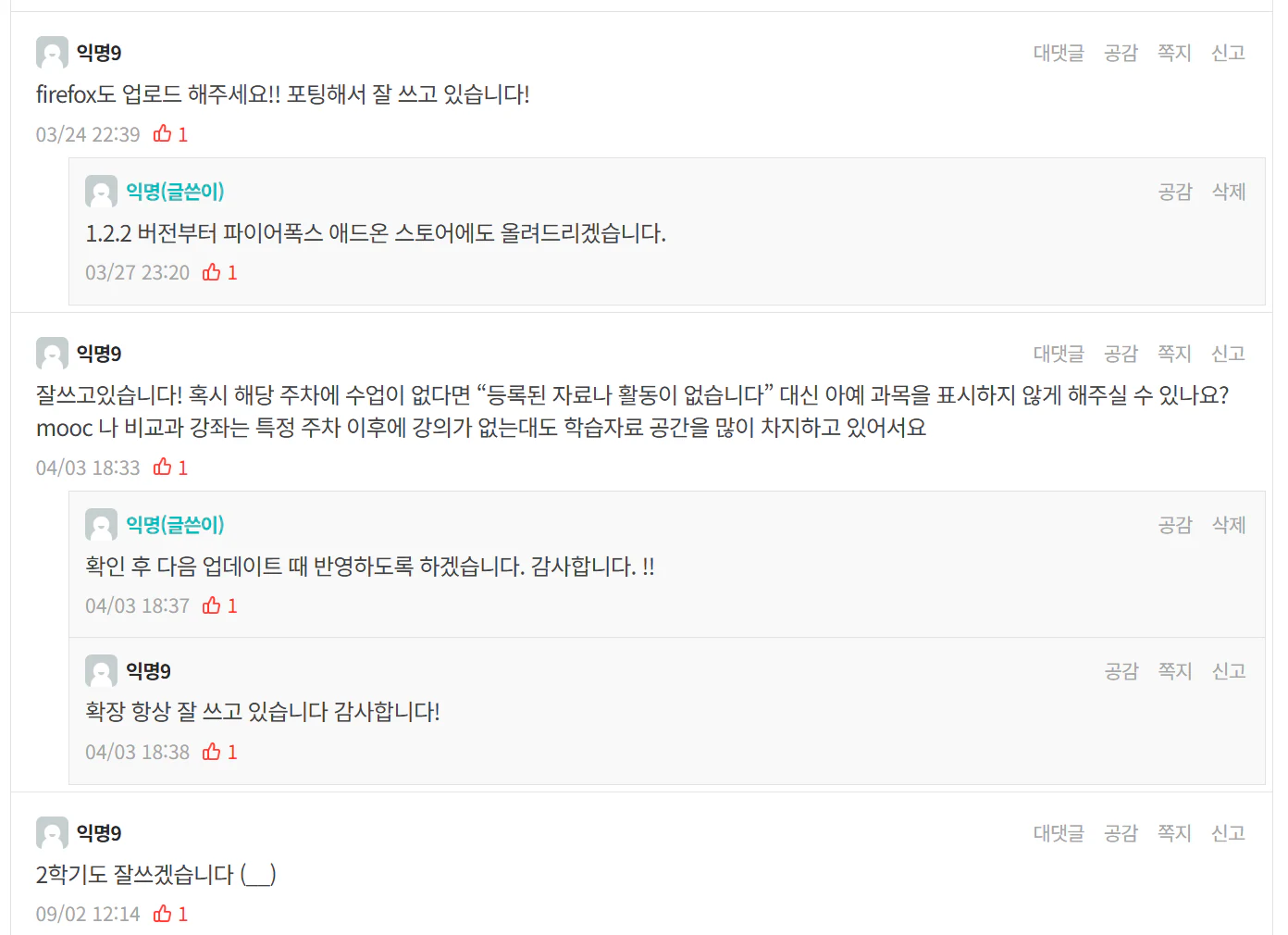
Discussion comments showing direct student requests for Firefox support and UX refinements.
- Firefox Browser Support: Following multiple requests from students who use Firefox as their primary browser, I packaged and published the add-on to the Firefox Add-ons store.
- Auto-Collapsing Inactive Courses: When students pointed out that non-credit courses or empty lecture weeks occupied unnecessary space, I added filtering logic that automatically collapses inactive modules.
- Adapting to Semester Updates: Because LMS page markup and edge cases shift slightly each term, I perform regular compatibility checks and release timely updates before each semester begins.
Usage Metrics and Everyday Impact
Developer dashboard analytics confirmed rapid adoption aligned with the academic calendar.
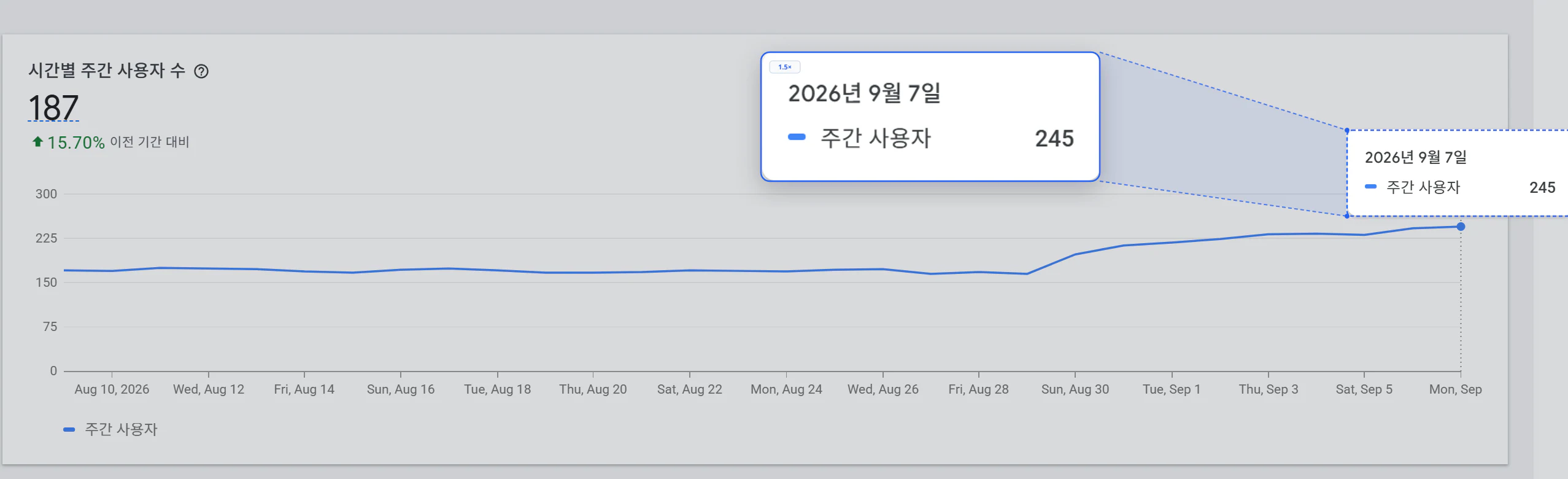
Chrome Web Store analytics graph displaying a steep rise to 245 Weekly Active Users (WAU) at the start of the semester.
- Weekly Active Users (WAU): Peaked at 245 users during the semester launch window, steadily sustaining around 180 active users throughout the academic term.
- Delivered measurable convenience by cutting repetitive multi-click navigation down to a single glance for hundreds of students every day.
Lessons
Starting from a small personal friction, this project provided firsthand experience across the full lifecycle of a utility product: concept design, extension engineering, store publishing, community communication, and ongoing maintenance.
Meaningful software often comes not from complex architecture, but from directly identifying and eliminating genuine bottlenecks in daily routines. I continue to monitor seasonal LMS layout updates prior to each academic semester to maintain seamless compatibility.